Hermione's Shop
159 wordsarticle
Save Transfer
Transferring saves from old/previous versions of the game.
- Game
- Hermione's Shop
- Covers
- Transferring saves from an old version to a new one. Which version saves will not work from.
- Skip if
- If the player is familiar with RPGMaker MV/MZ
PC Guide
- Find the "save" folder in the game's root folder.
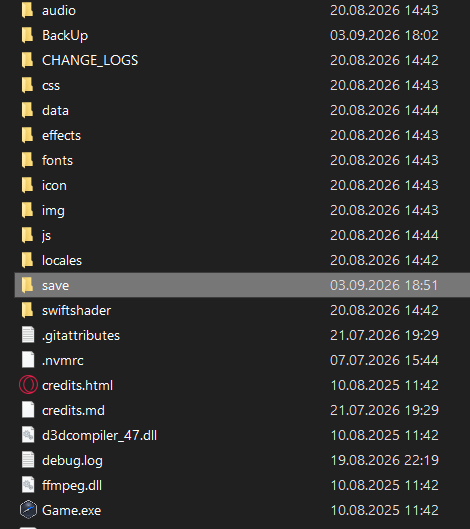
- Copy/Cut the entire folder (CTRL+C)
- Paste the copied folder into the root folder of the new version replacing existing files (CTRL+V).
Mac Version Guide
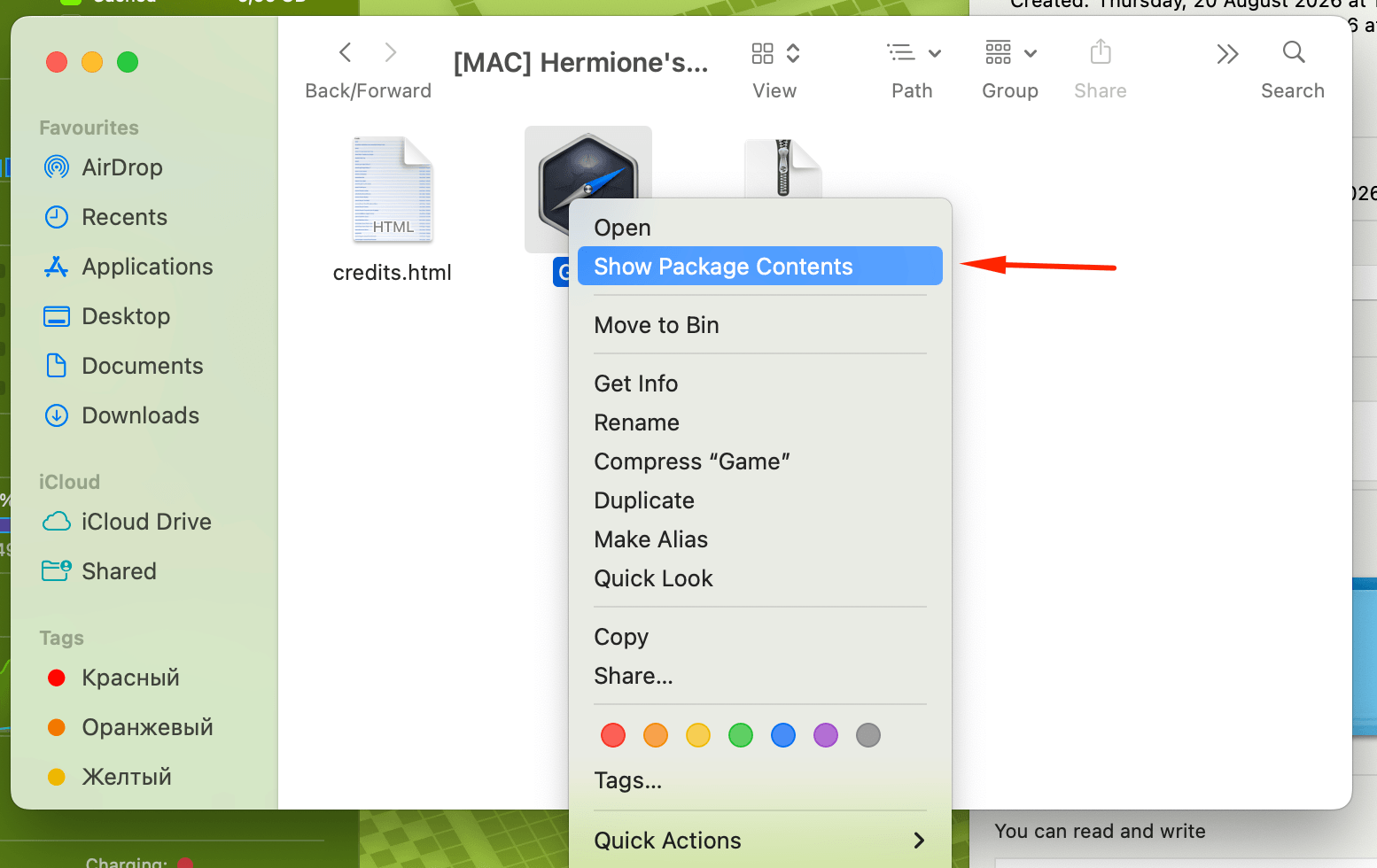
- In Finder, right-click the game file with the .app extension and select "Show Package Contents".
- Then navigate to Contents → Resources → app.nw → save to locate the RPG Maker MZ save files.
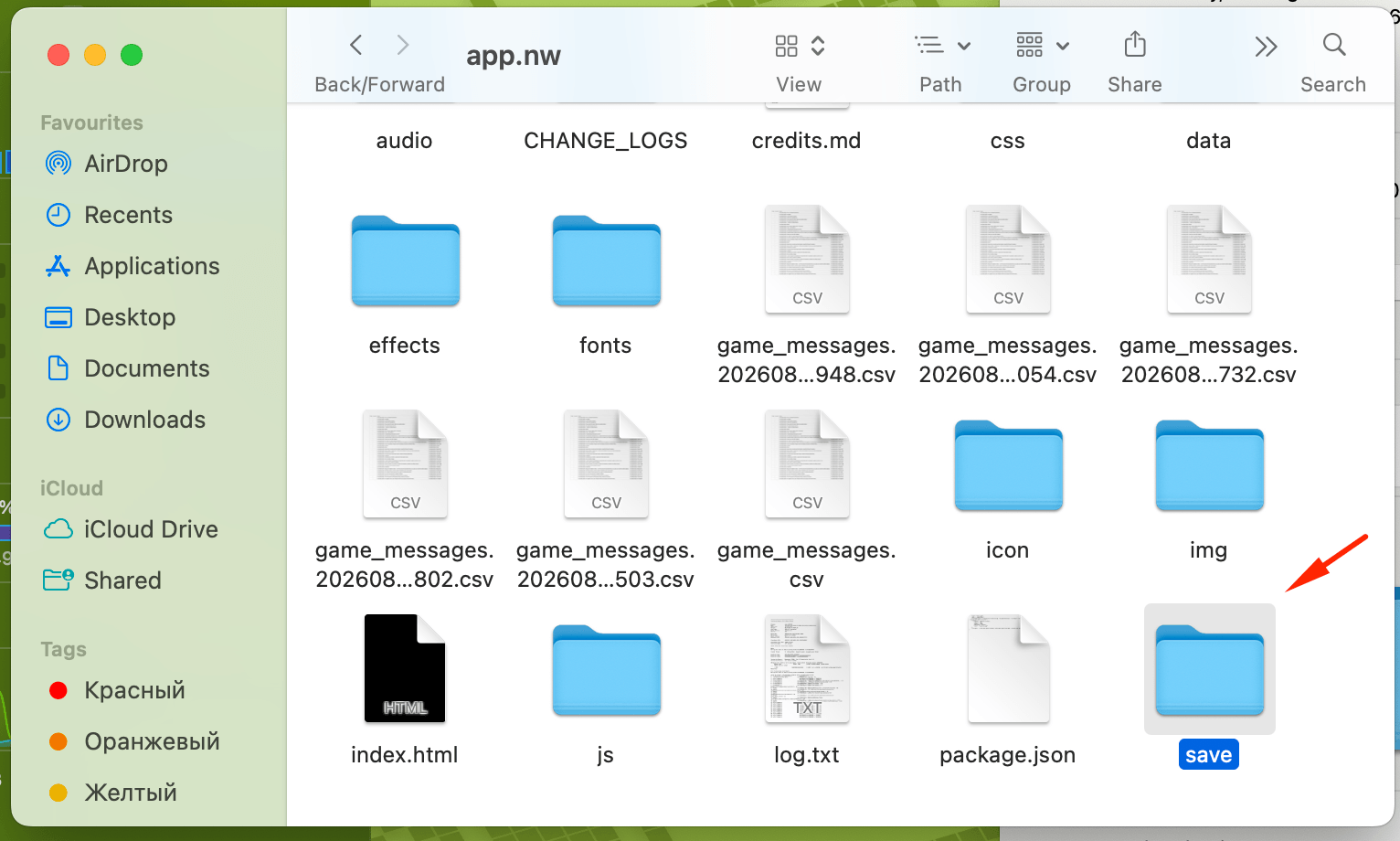
- Copy/Cut the saves folder.
- Paste the folder into the new version replacing existing files.
IMPORTANT INFORMATION
- Saves created on versions BEFORE 0.3.0 will NOT WORK! In that case the game must be started FROM SCRATCH!
- Saves from the Mac and PC versions can be transferred interchangeably.
- Saves from the Android and Web versions CANNOT be transferred. The Web version updates automatically with existing saves. The Android version does the same upon a successful app update. If the Android app could not be updated, you will have to start FROM THE BEGINNING!
Did it work?Still have questions?
If anything went wrong, write to us on Discord.